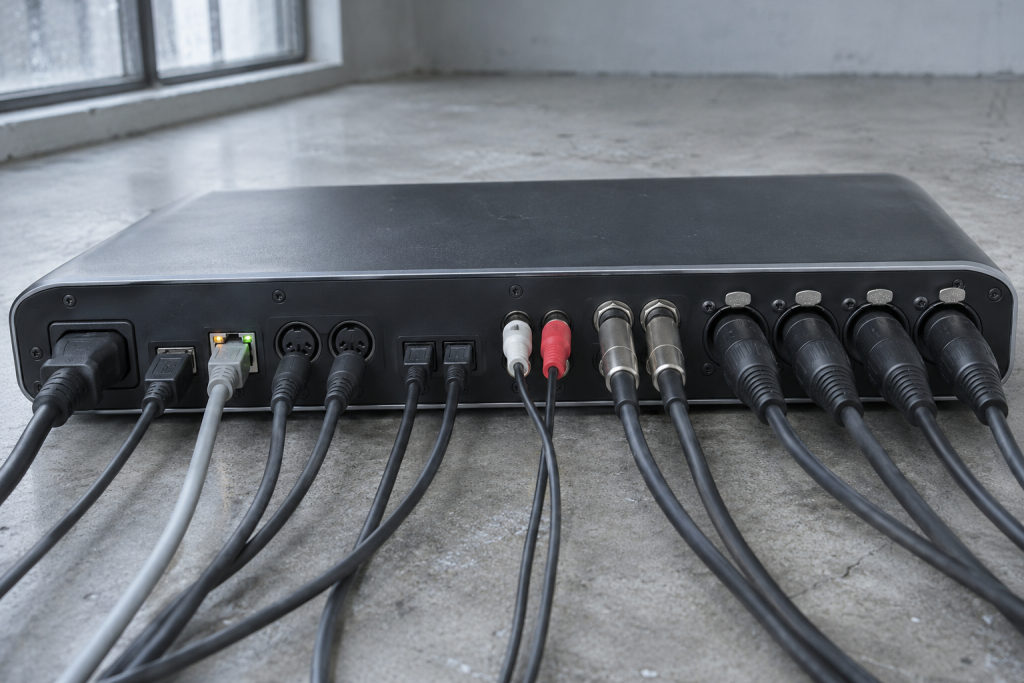
I noticed it around the third hour of a session: my fingers were playing slightly ahead of the click. Not badly. Just enough to feel wrong. I’d been blaming the drummer on the Hilda edit, the one where the kick and the clav fight for the same pocket, and then I realized the drummer was me and I had never touched the grid. The interface was four years old. It had been on nine hour sessions for most of them.
What follows is what I did over a weekend, and why the eventual answer was not “add another buffer sample somewhere.” Latency creep is usually two or three small things stacking, and on an aging rig the combination is rarely clean.
First: stop treating the buffer as the whole story
The buffer in the DAW is the number everyone stares at. It is not the only delay in the chain. Your interface’s driver has its own overhead, your USB or Thunderbolt path adds a small amount, and the plugin chain on the monitoring path adds more. A four year old interface is exactly where these start to disagree with each other, because the driver has been updated a dozen times while the hardware stayed the same. If the audio driver is no longer well matched to the current OS, you get latency, and often a little noise or a random glitch that shows up only on a load spike.
The first useful thing I did was measure instead of guess. Loop the interface’s output back into a spare input and record a click. The recorded offset is your real round trip. Compare it to whatever the DAW reports. On a healthy setup they’re within a sample or two. On mine they were not.
ASIO, and the classic Windows trap
On Windows, if the DAW is using the vendor ASIO driver, the interface is running natively. If it is somehow using the Windows default audio path, you are being routed through the OS mixer and the latency doubles or worse. The other trap is shared mode: Spotify or a browser holding the device while the DAW tries to open it. If your interface is set to allow apps to take exclusive control, disable that for everything that is not the DAW.
A dedicated audio interface exists to solve exactly this, giving clean recordings and near-zero latency monitoring (per the interface guides I leaned on while checking my assumptions). Losing a couple of milliseconds because the OS grabbed the device is an easy thing to fix and a hard thing to notice.
Where the plugins quietly add delay
This is the part I expected and it still bit me. Look at every plugin on your monitoring bus. Any lookahead limiter, any oversampled clipper, any linear-phase EQ, any convolution reverb, any ARA-style processing tool, they all report latency and the DAW is supposed to compensate. It usually does. But it compensates for plugins on tracks, and the latency report on a monitoring path can drift if you are using plugin versions that are several point releases behind. My old chain had a limiter with three versions of lookahead and one of them was being measured wrong.
The compressor advice I kept seeing was relevant here too: some plugins let you change the latency and the wet/dry directly, and that is exactly what you want when latency is the problem. A vocal compressor you can set to zero lookahead lets you keep the sound and skip the delay. If a plugin cannot do that and it is not strictly needed on the monitoring bus, take it off the monitoring bus. Compensate it on the print instead.
The single biggest surprise: the reverb I had on a return was not the culprit. The convolution loader on a parallel drum bus was adding a tiny but consistent offset. It was small enough to be invisible, large enough that the drum bus felt one hair late against the kick. I would never have found it by ear without the loopback test telling me which bus was dragging.
The interface itself, and an honest verdict
After the driver check, the buffer and the plugin audit, I still had a little more delay than I wanted. The interface was warm, the converters fine, the preamps unremarkable but usable. What was not fine was the driver situation on the current OS. There is a real limit to how much a four year old interface can keep up, and buying a new one to shave four milliseconds may not be the right use of money if the preamps and I/O are still what you need. My call: replace the interface only if the loopback test shows the driver is the problem, and you cannot downgrade the OS or find a driver build that matches. Otherwise put the money into a UAD or SSL preamp upgrade and a shorter cable chain.
The one thing I would not do again: reinstalling the audio driver over the top of the old one without a clean uninstall. That is how I lost an evening to devices that stopped appearing. Uninstall, reboot, install the current build, reboot again.
What “fixed” actually looked like
- Exclusive mode restricted to the DAW, everything else released the device.
- Buffer set so the round trip was under what I could feel, not under what sounded impressive.
- Linear-phase EQs and lookahead limiters moved off the monitoring path, onto the print chain only.
- Every plugin on the monitoring path updated to the current build, and the version numbers written down.
- The parallel convolution loader re-instanced, not just re-enabled.
None of it was dramatic. The click and I lined up again and the Hilda edit started grooving. The thing I keep thinking about is that I had trusted the DAW’s reported latency number for years, and it had been quietly wrong for months on a rig where nothing was actually broken. The interface is old. The driver had opinions. The monitoring path had grown a layer of latency I never asked for.